
The course completion report proves that you are a Onsego30 student, and it shows how many lessons you have completed so far.
The report includes your name, the names of the courses you have access to, and the number of lessons you have completed.
This course completion report is automatically generated and can serve as proof of enrollment.
You can find this report on the “Course Completion Report” page.
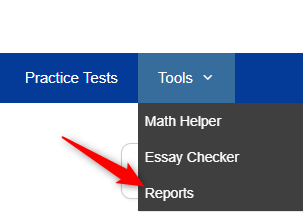
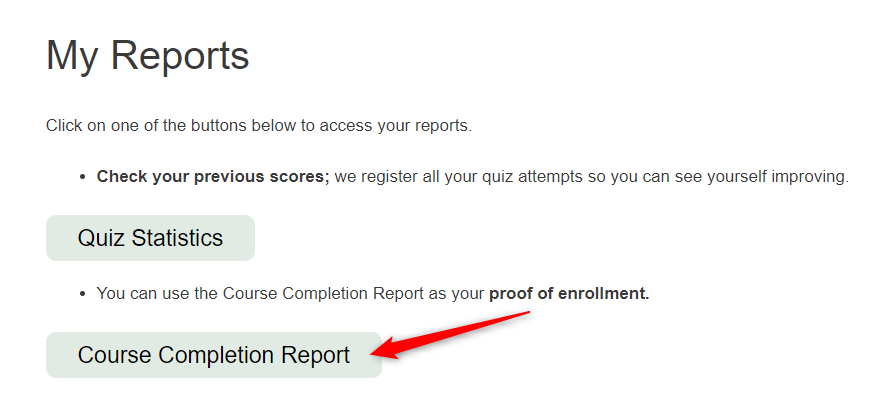
This report can be printed or saved as a PDF.
Onsego30 is Onsego’s fast-track GED course so that you will see the Onsego logo in these reports.
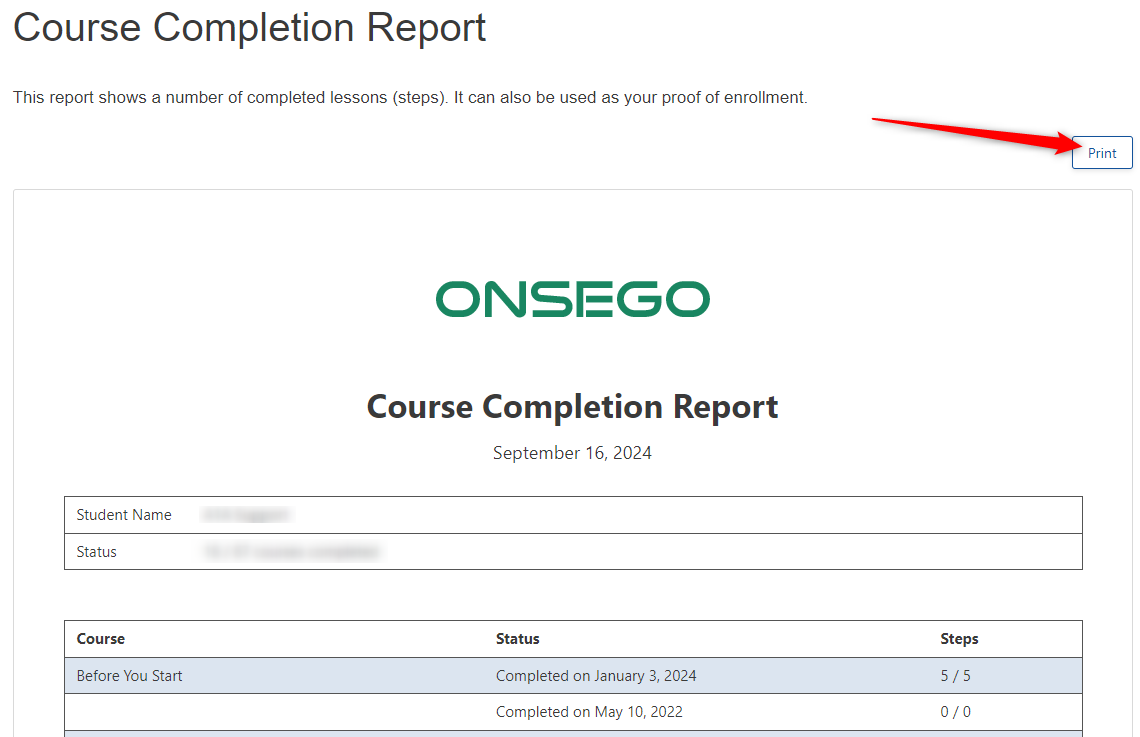
If you want to save your report to PDF, you need to click on the print button and then choose the option “Save to PDF”; the PDF version of your report will be created and saved on your computer.