
When you take the GED Ready test, you receive a report that shows your score and a list of skills to improve. You can connect this list with Onsego30 GED prep through the Onsego webpage.
When you do that, your score report is customized and shows you exactly which Onsego30 lessons you need to take to improve your score.
The images below show how to connect your GED Ready® Score report with Onsego30.
Find the module that says: Link Your Study Materials.
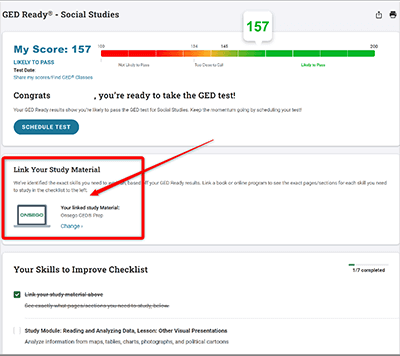
Choose Onsego30 from the presented list. That’s it. Your skill report is now customized and shows Onsego30 lessons.
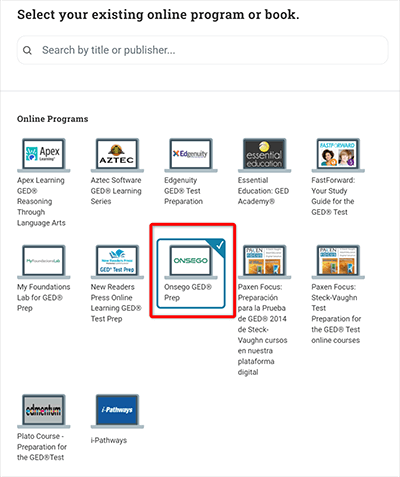
That’s it. Now, your skill report is customized and shows Onsego30 lessons that you should take to boost your score.
You can find these suggested lessons in your Onsego30 account. You can also create a PDF to use later. Click here for details on generating the PDF report and finding the lessons in your Onsego30 account.
You’ll see the Onsego webpage since Onsego30, your super-fast-track GED prep course, falls under the Onsego GED Prep System.