
It’s easy to switch your Onsego30 dashboard to dark mode. Here is how it works.
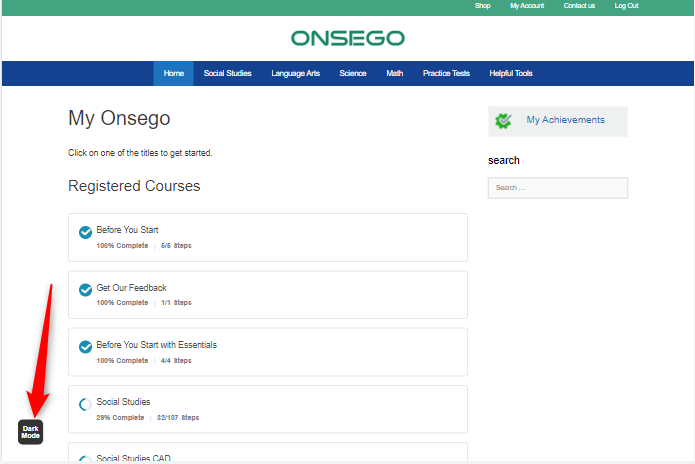
- Locate the Dark Mode button in the bottom left corner of your screen. Click on it, and the dark theme will be enabled.
- Once the black theme is set, you can toggle between the black and white page background colors by clicking the same button.
- If your mobile uses the dark theme, Onsego30 will automatically change to the dark theme, too.
Please note that on some small devices, the toggle button might be hidden, but the dark mode will be enabled.
The image below shows the location of the dark mode button.
When preparing for your GED exam with Onsego30’s fast-track course, you will see the Onsego webpages since Onsego30 is part of Onsego GED Online Prep.